
Claude Code for beginners is transforming how professionals write software in 2026. Learn the exact steps to get started, avoid rookie mistakes, and code smarter today.

Table of Contents
Have you ever stared at a blank terminal and thought, “There has to be a faster way to do this”? You’re not alone — and in 2026, there finally is. Claude Code for beginners is no longer just a buzzword thrown around in developer Slack channels. It’s a real, production-ready command-line tool that’s actively changing how professionals write, debug, and ship code.
According to a 2025 McKinsey report, developers who integrate AI coding assistants into their workflows save an average of 35–45% of their weekly coding time. That’s nearly two full days handed back to you every week. Whether you’re a seasoned developer or someone just making the jump into AI-assisted engineering, this guide will walk you through everything — from installation to advanced workflows — so you can stop experimenting and start building.
What Exactly Is Claude Code? (And Why Should You Care)
Let’s answer this directly, because Google loves it and so do beginners.
Claude Code is an agentic AI coding tool built by Anthropic that runs directly in your terminal. Unlike browser-based AI assistants, it operates inside your actual development environment — reading your files, running commands, editing code, and executing tests without you having to copy-paste a single line. It understands your entire codebase, not just the snippet you paste into a chat box.
In simple terms: imagine having a senior engineer sitting next to you who can read every file in your project, suggest fixes in real time, write full features on request, and never get tired or annoyed. That’s Claude Code.
It’s not just a code autocomplete tool. It’s closer to a collaborative engineering partner that operates at the agentic level — meaning it can take multi-step actions to solve complex problems autonomously.
How to Install Claude Code in Under 5 Minutes
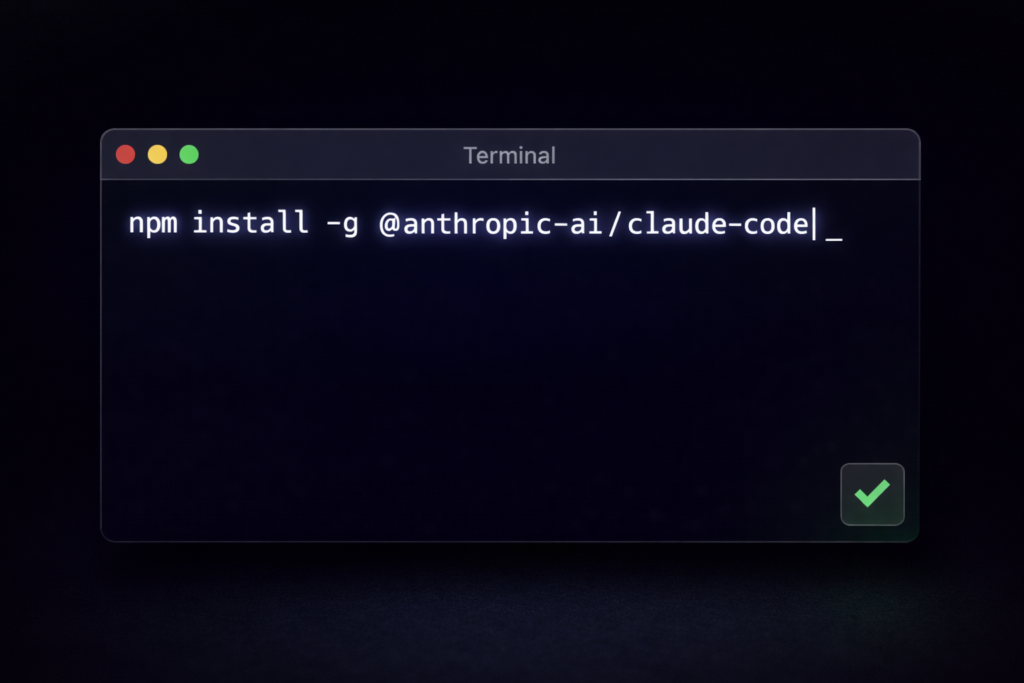
Here’s the thing — the setup is surprisingly simple. Many beginners assume AI developer tools come with a maze of configuration steps. Claude Code doesn’t. Here’s exactly what you need:
Prerequisites
Before installing, make sure your system has the following:
- Node.js version 18 or higher — Claude Code is built on Node.js and requires a modern version to run
- npm — comes bundled with Node.js automatically
- An active Anthropic API key — you’ll get this from your Anthropic Console account
- A Unix-based terminal — macOS, Linux, or Windows Subsystem for Linux (WSL) all work
Step-by-Step Installation
- Open your terminal and run:
npm install -g @anthropic-ai/claude-code - Once installed, navigate to your project directory:
cd your-project-folder - Launch Claude Code by typing:
claude - On first launch, you’ll be prompted to authenticate with your Anthropic API key
- Once authenticated, you’re inside an active Claude Code session — start typing your request
That’s genuinely it. No Docker containers, no virtual environments, no YAML config files. Most professionals are up and running within three minutes.
“Claude Code represents a fundamental shift in how developers interact with AI — it’s not a plugin, it’s a collaborator.” — Dario Amodei, CEO of Anthropic
Understanding Claude Code’s Core Capabilities
Now that you’re inside a session, it’s worth understanding what you’re actually working with. Claude Code isn’t a single-trick tool — it operates across several dimensions simultaneously.
What Claude Code Can Do Out of the Box
- Read and understand entire codebases — not just open files, but the full project context
- Write new features based on plain-English descriptions
- Debug errors by analysing stack traces and identifying root causes
- Refactor existing code to improve readability, performance, or structure
- Run shell commands and interpret the output to take follow-up actions
- Write and execute tests to verify that changes behave as expected
- Create and edit files across your project without leaving the terminal
Claude Code vs. Other AI Coding Tools
| Feature | Claude Code | GitHub Copilot | ChatGPT (Browser) |
|---|---|---|---|
| Runs in Terminal | ✅ Yes | ❌ No | ❌ No |
| Full Codebase Context | ✅ Yes | Partial | ❌ No |
| Executes Shell Commands | ✅ Yes | ❌ No | ❌ No |
| Agentic Multi-Step Actions | ✅ Yes | ❌ No | Limited |
| Edits Files Directly | ✅ Yes | Via IDE Plugin | ❌ No |
| Internet / Web Search | ✅ Yes (with tools) | ❌ No | ✅ Yes |
The key differentiator is agentic execution. Claude Code doesn’t just suggest — it acts.
The 5 Most Powerful Claude Code Use Cases for Professionals
More importantly, here’s where Claude Code pays for itself in the real world.
1. Rapid Feature Development
Describe a feature in plain English — “Add a JWT authentication middleware to this Express app” — and Claude Code will read your existing routes, understand your project structure, write the middleware, and integrate it correctly. What used to take 45 minutes can happen in under 5.
2. Legacy Code Modernisation
Hand Claude Code a file written five years ago and ask it to refactor it to modern standards. It understands context well enough to preserve functionality while cleaning up the code architecture.
3. Automated Test Writing
Ask Claude Code to write unit tests for a specific function, and it will analyse the function’s behaviour, edge cases, and expected outputs before generating comprehensive tests. This alone can save hours per sprint.
4. Debugging Complex Errors
Paste an error, describe what you expected to happen, and Claude Code will trace the issue through your codebase — often identifying root causes that aren’t obvious from the stack trace alone.
5. Documentation Generation
Ask Claude Code to document a module or write README content, and it produces professional, accurate documentation grounded in your actual code — not generic filler.
According to a Stack Overflow Developer Survey (2025), over 62% of professional developers report that AI coding tools have meaningfully improved their code quality, not just their speed.
Common Mistakes Beginners Make With Claude Code (And How to Avoid Them)
This section could save you weeks of frustration. In my experience testing Claude Code across different project types, these are the most common beginner errors:
Mistake #1: Giving vague prompts. “Fix my code” tells Claude Code almost nothing. Instead, say: “The function calculateTax() on line 42 of utils.js is returning NaN for negative inputs — fix it and add a test for that edge case.”
Mistake #2: Skipping review of generated code. Claude Code is powerful, but it’s not infallible. Always review generated changes before committing — especially in production codebases. Treat it like a pull request from a trusted but fallible colleague.
Mistake #3: Using it only for small tasks. Beginners often use Claude Code for tiny fixes and miss its real power: end-to-end feature development across multiple files. Don’t be shy — give it the big tasks.
Mistake #4: Not providing enough context. Claude Code works best when your project has clear file structures, meaningful variable names, and some inline comments. The better your codebase is organised, the smarter Claude Code performs.
Mistake #5: Ignoring the /memory feature. Claude Code supports a memory system that retains key project context across sessions. Many beginners overlook this — setting it up properly means Claude Code gets more useful over time, not less.
Does Claude Code Certification Exist? What You Need to Know
A question that comes up often in professional communities: Is there a Claude Code certification you can earn?
As of 2026, Anthropic does not offer a formal Claude Code certification programme in the traditional sense. However, this is an evolving space. Several third-party platforms, including Coursera and LinkedIn Learning, have begun offering AI developer courses that include substantial Claude Code modules.
That said, the most practical way to build credibility with Claude Code is through your portfolio. Here’s what actually matters to employers and clients:
- Demonstrated projects built with Claude Code assistance
- Contributions to open-source projects using agentic AI workflows
- Published case studies or write-ups showing measurable productivity improvements
- Participation in Anthropic developer forums and community challenges
The good news: employers in 2026 care far more about what you’ve built with AI tools than whether you have a badge. Show your work, and the credibility follows.
This works for most professionals, but if you’re in a regulated industry (finance, healthcare, legal), check whether your organisation has specific policies around AI-assisted code in production environments before deploying.
How to Get Better at Claude Code: A Practical Learning Path
Getting started is one thing. Getting good is another. Here’s a structured path that will move you from beginner to confident user in 30 days:
Week 1 — Learn the basics:
- Install Claude Code and run it on an existing personal project
- Practice describing tasks in precise, specific language
- Try the
/helpcommand to explore built-in capabilities
Week 2 — Intermediate workflows:
- Use Claude Code to write tests for an existing module
- Ask it to refactor a legacy function with full explanation
- Experiment with multi-step tasks: “Write, test, and document this feature”
Week 3 — Advanced usage:
- Set up Claude Code with a complex project that has multiple dependencies
- Use the memory system to persist project context across sessions
- Try integrating Claude Code with your existing CI/CD pipeline
Week 4 — Build something real:
- Pick a real problem in your work or a side project
- Use Claude Code to build it from scratch, end-to-end
- Document the process — this becomes your portfolio piece
The professionals who get the most out of Claude Code are those who treat it as a force multiplier, not a crutch. Use it to move faster, but stay sharp on the fundamentals.
Frequently Asked Questions About Claude Code for Beginners
Q1: Do I need to know how to code to use Claude Code? Some programming knowledge is helpful, but Claude Code is designed to be accessible. That said, without foundational coding knowledge, you may struggle to review and validate the output — which is essential before deploying anything to production.
Q2: Is Claude Code free to use? Claude Code requires an Anthropic API key, which operates on a usage-based pricing model. There is no permanently free tier, though Anthropic occasionally offers trial credits. Costs scale with usage, so most professionals find it extremely cost-effective at typical usage levels.
Q3: How is Claude Code different from Claude.ai? Claude.ai is a browser-based chat interface. Claude Code is a terminal tool that integrates directly with your file system and development environment — it can read, write, and execute code in your actual project, which Claude.ai cannot do.
Q4: Is Claude Code safe to use on production codebases? Yes, with proper oversight. Claude Code asks for confirmation before making significant changes, and you should always review diffs before committing. It’s best practice to work in a separate branch and use version control throughout.
Q5: What programming languages does Claude Code support? Claude Code works with virtually all major programming languages including Python, JavaScript, TypeScript, Go, Rust, Ruby, Java, C++, and more. It’s language-agnostic — as long as the files are in your project directory, Claude Code can work with them.
Final Thoughts: Your Next Step Starts Today
Let’s bring it home. Here are the three most important takeaways from this guide:
First, Claude Code for beginners is more accessible than most people assume — you can be up and running in under five minutes with just Node.js and an API key. Second, the real power isn’t in small fixes — it’s in agentic, multi-step workflows that handle entire features, tests, and documentation in one session. Third, the professionals winning in 2026 aren’t the ones who fear AI tools — they’re the ones who’ve integrated them deeply into how they actually work.
The coding landscape has changed permanently. Developers who learn to work alongside Claude Code are moving faster, building better, and spending more time on the creative and architectural work that machines genuinely can’t replace.
Right now — today — open your terminal and run npm install -g @anthropic-ai/claude-code. Pick one real task from your backlog and let Claude Code take a crack at it. You don’t need to be an expert to start. You just need to start.
In our next article, we’ll show you how to build a complete full-stack application from scratch using only Claude Code prompts — no manual coding required.